Does CookieYes support Google Consent Mode v2 on Wix and how do I set it up?
Yes, CookieYes supports Google Consent Mode v2 on Wix. As a Google-certified CMP, CookieYes helps ensure compliance while preserving key insights through cookieless pings and consent-aware tag behaviour. Follow the below steps to Here’s how to configure it using Google Tag Manager (GTM):
Step 1: Get Your Google Tag Manager ID
- Sign Up/ Create a Google Tag Manager Account and set up a container.
- Copy your container ID (e.g.,
GTM-XXXXXX).
Step 2: Add Google Tag Manager to Your Wix Site
- Go to your Wix Dashboard → Marketing Integrations.
- Click Connect under Google Tag Manager.
- Click Add Google Tag Manager.
- Enter your GTM container ID.
- Click Save.
Step 3: Review and Verify GCM Settings in CookieYes
By default, the Support GCM option is enabled. If needed, you can adjust the option ‘Allow Google tags to fire before consent‘ to enable Google tags to trigger before consent, using cookieless pings.
To enable Allow Google tags to fire before consent:
- From the CookieYes dashboard, navigate to More > Advanced Settings.
- Under the Consent Mode section, toggle on Allow Google tags to fire before consent.
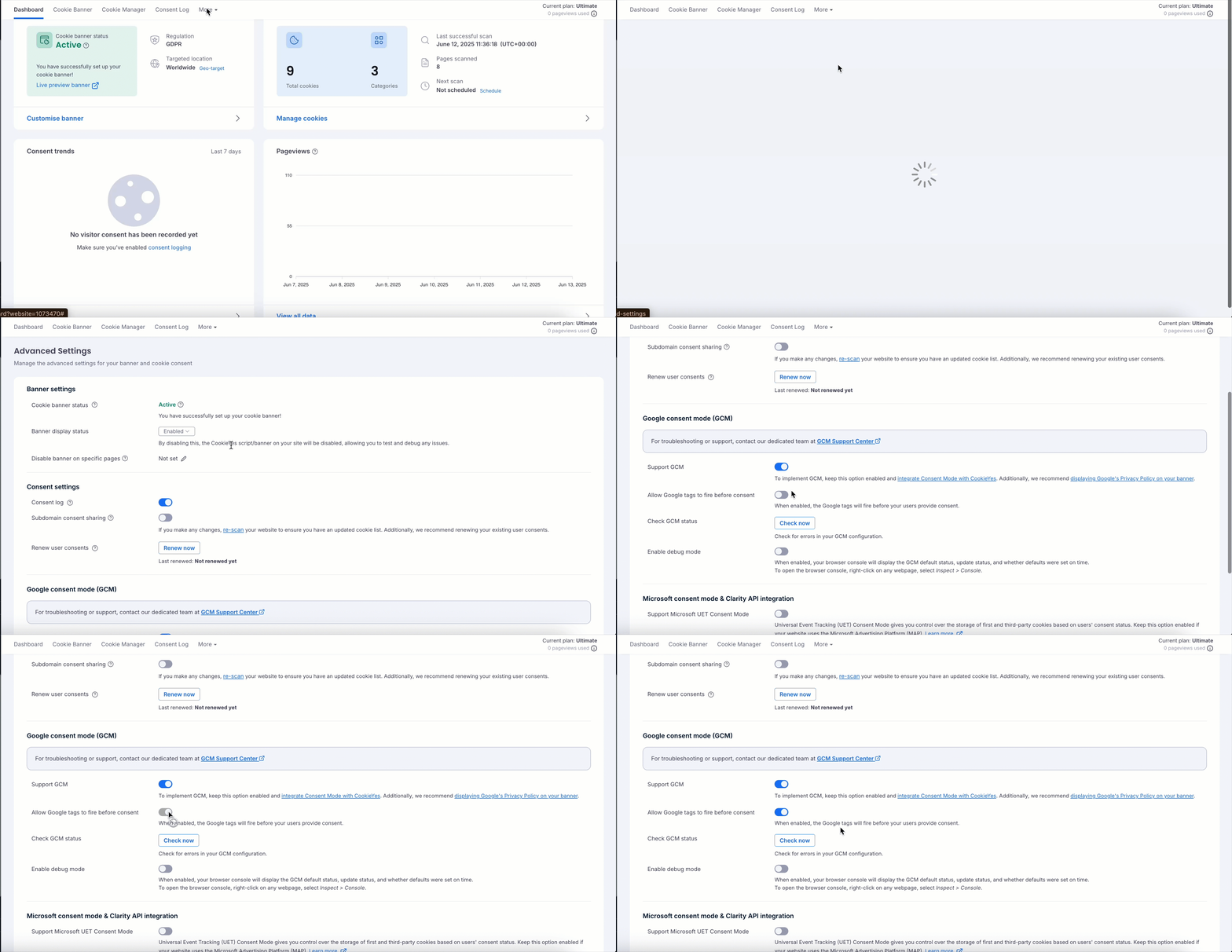
You can also verify the status of your configuration by clicking the Check now button next to Check GCM status.

Alternatively, you can use the ‘Enable Debug Mode‘ button to display the GCM default status, update status and timing information directly in your browser console.
If the configuration is correct, you will see a success message stating, ‘No error detected’. After connecting GTM, your tags will respect user consent preferences.


