How to Enable Extra Pageviews in CookieYes?
To enable extra pageviews in Cookieyes, follow the steps below:
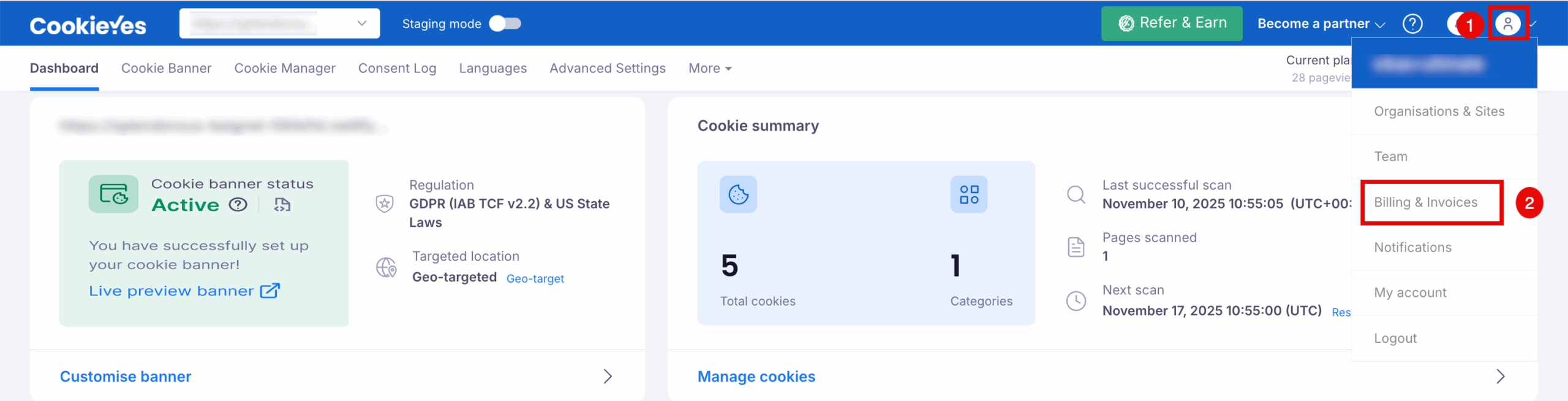
- In the CookieYes Dashboard, navigate to the Profile icon in the top-right corner and click Billing & Invoices from the drop-down.
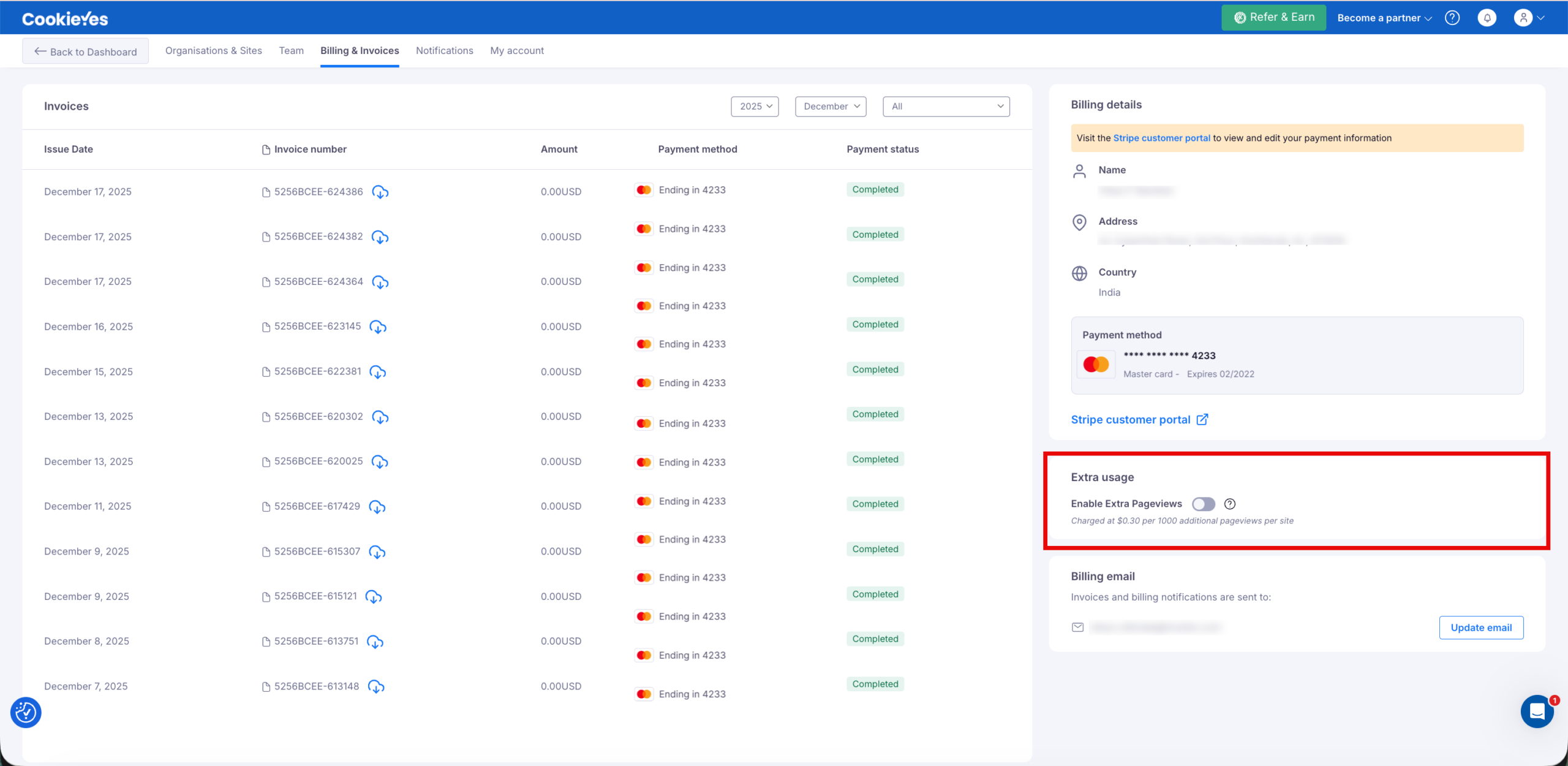
- On the Billing & Invoices page, go to the Billing Details panel on the right and scroll to the Extra usage section. Toggle Enable Extra Pageviews to the On position.
- A confirmation window will appear with the pricing and usage details. Click Enable Extra Pageviews to proceed.
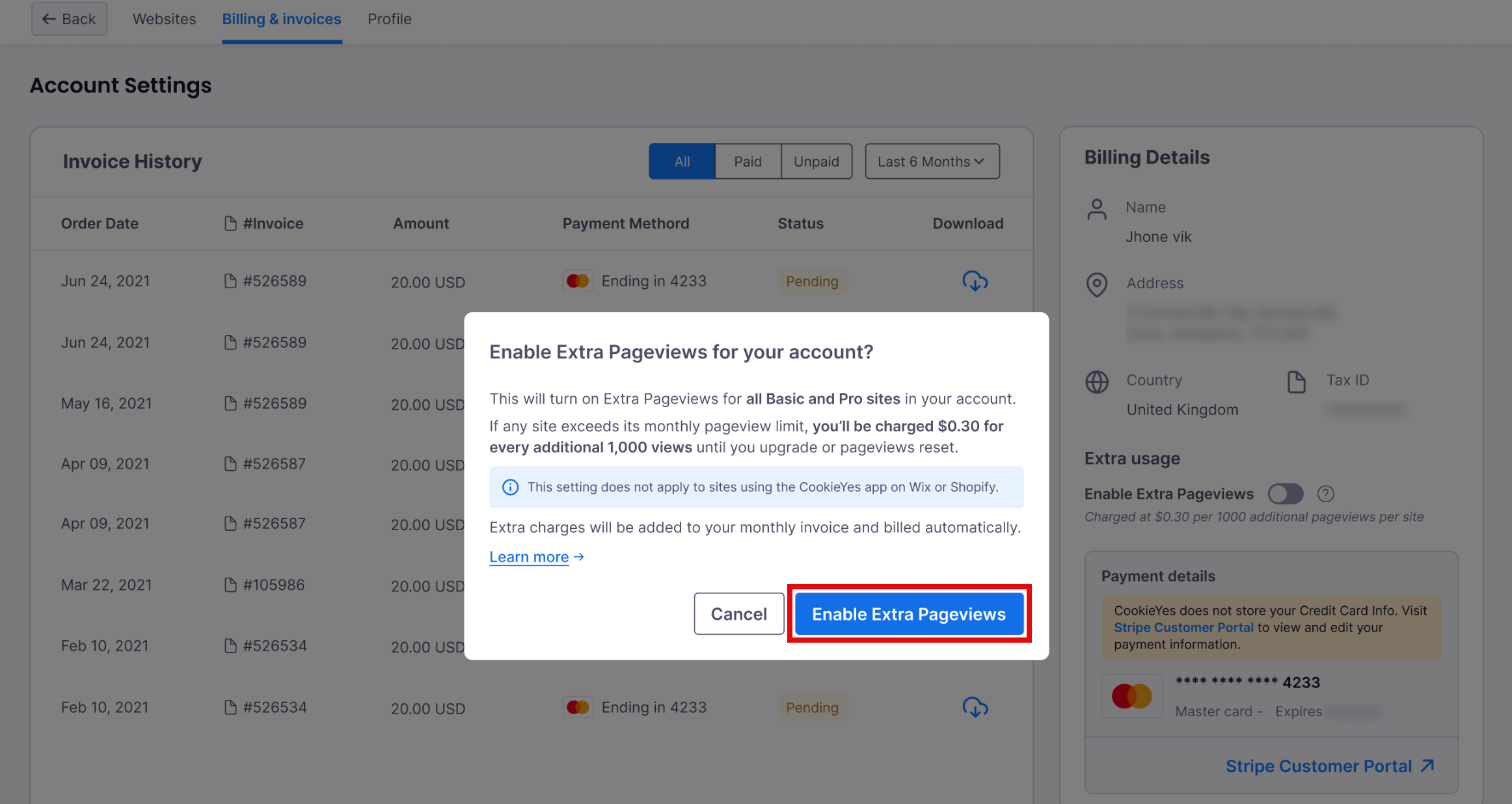
Extra Pageviews are billed at $0.0003 per pageview per site once the monthly limit is exceeded.
Once enabled, additional usage charges will be automatically added to your monthly invoice.


